

July 2026 Release
This update brings new payment-plan features, clearer card-on-file indicators, and more reliable connections to your practice management system.
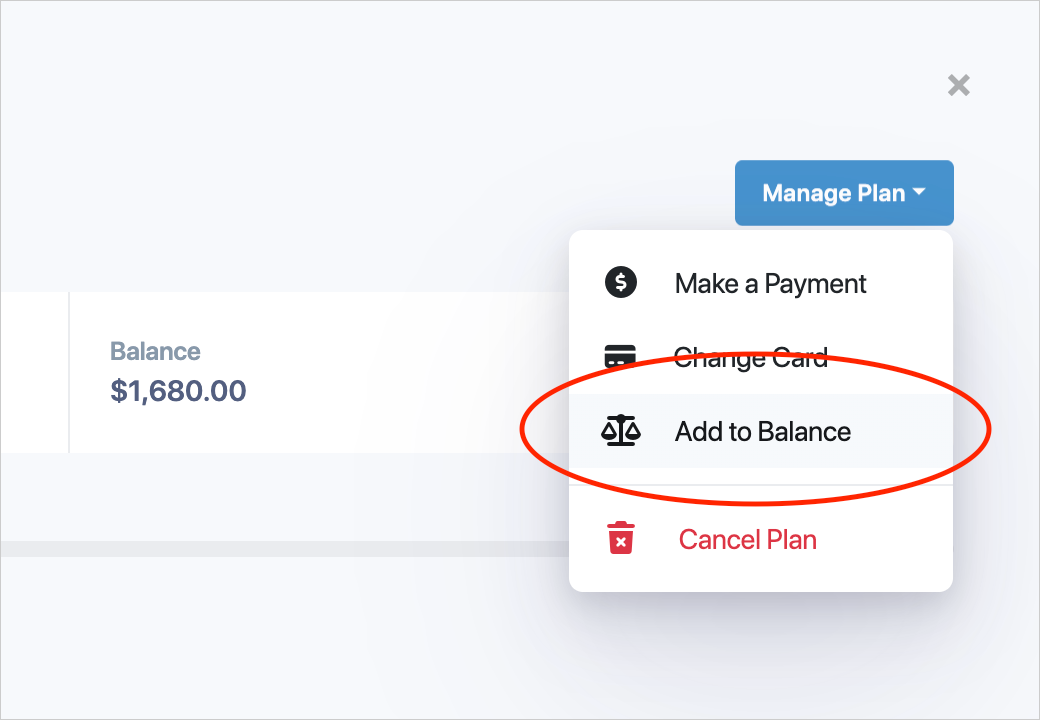
Add to Balance. You can now add to a patient’s payment plan balance directly. Just type the amount to add — and we show you the current balance and the new balance updating live as you type. Choosing how to apply it is a single, clear choice: recalculate the existing cycles, or add the amount to the end of the plan. Previews tell you the exact final amount, so there are no surprises.

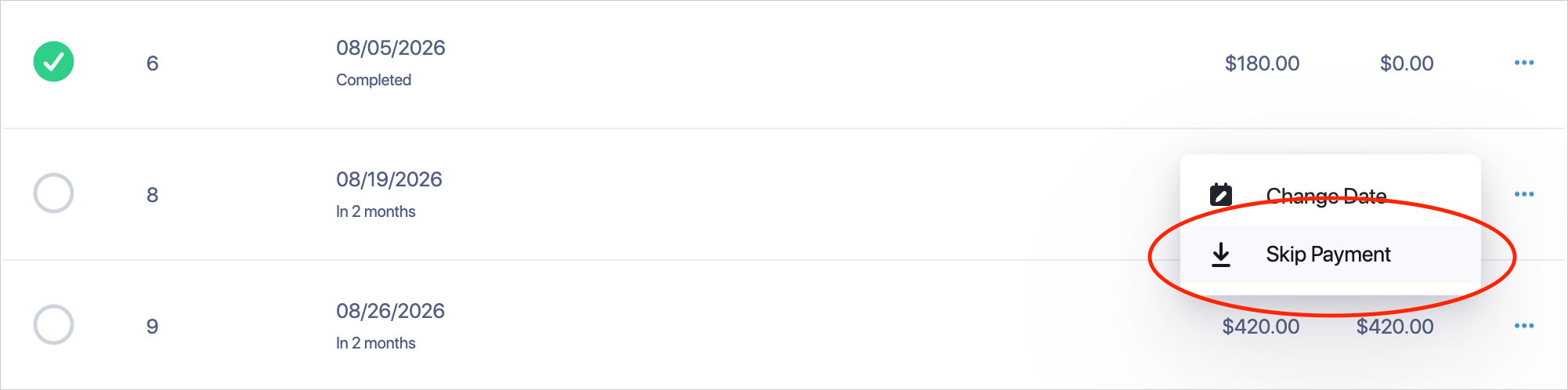
Skip a payment. You can now skip a patient’s next upcoming payment with a single click. The skipped payment is automatically moved to a new cycle at the end of the plan, so nothing is lost and the schedule stays on track.
Smarter, safer schedules. Past-due and partially-paid cycles are now protected when a plan is recalculated, so they’re never accidentally re-amounted or changed. Partial payments are also carried over correctly when a cycle is skipped.
More consistent plan details. We fixed an issue where plan details from Open Dental were not updating consistently.
Behind-the-scenes enhancements ensure payments run together, faster and more reliably. We’re constantly working on speed and Open Dental interaction improvements to enhance the overall experience and reliability of Open Dental Dynamic Payment Plans.
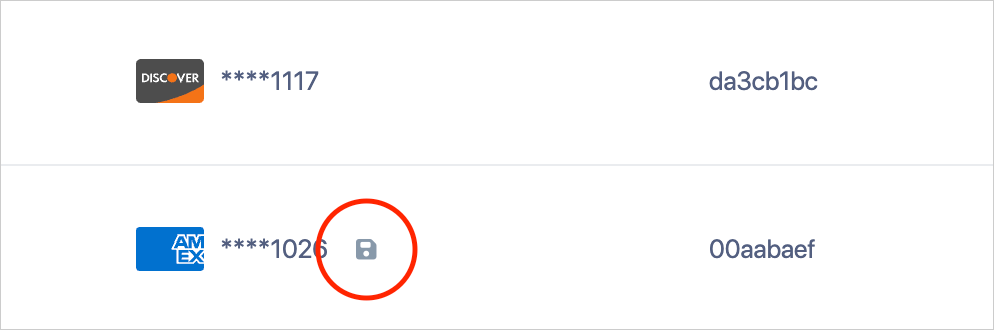
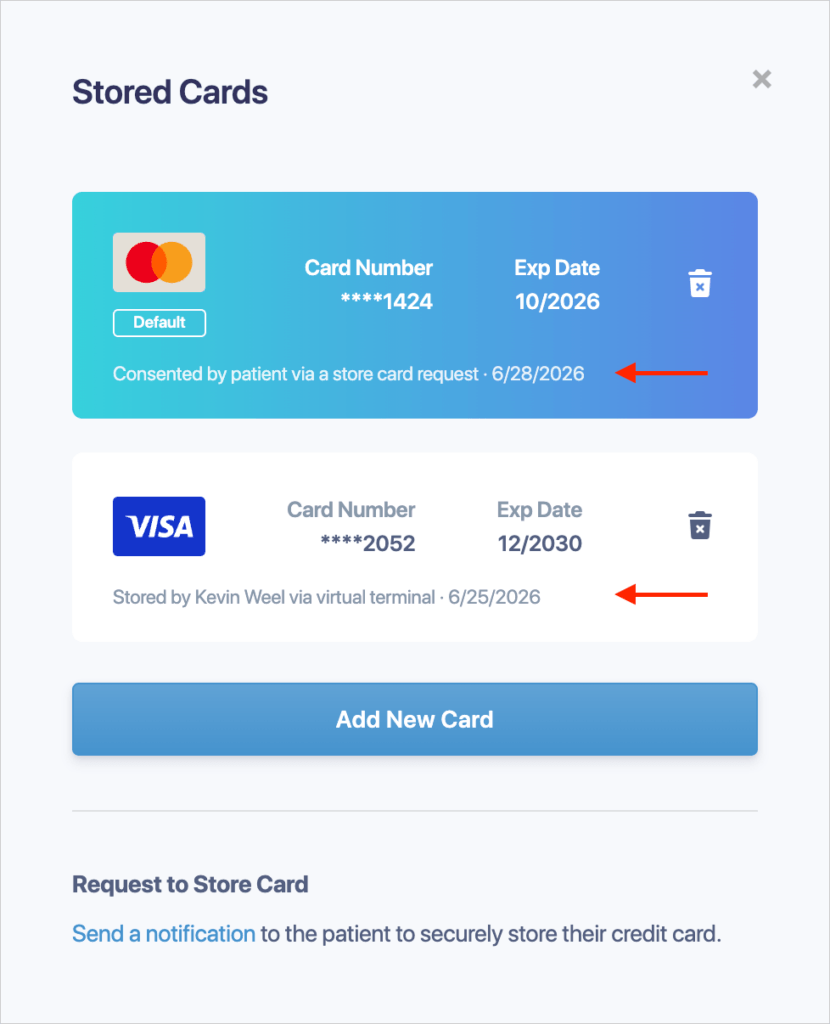
See at a glance which cards are saved. The transaction list now shows a clear “saved” icon when a card is stored on file, with a tooltip telling you how it was saved. The Stored Cards view also shows when each card was saved and by whom.
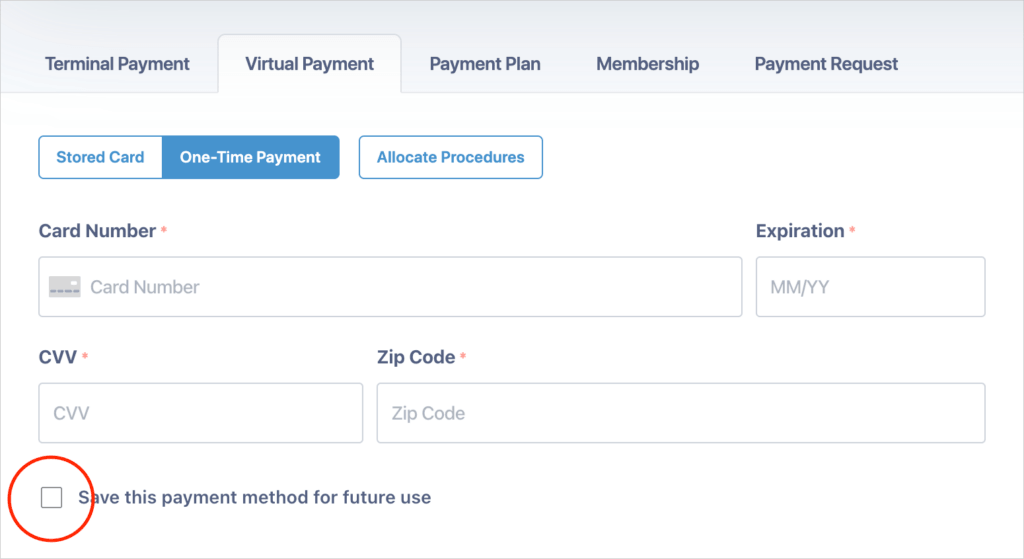
Save a card during a one-time payment. When taking a one-time payment through the Virtual Terminal, you can now save the card on file at the same time (when the patient agrees), so it’s ready for future use without re-entering details.
We’ve fixed several payment edge cases for more accurate processing:
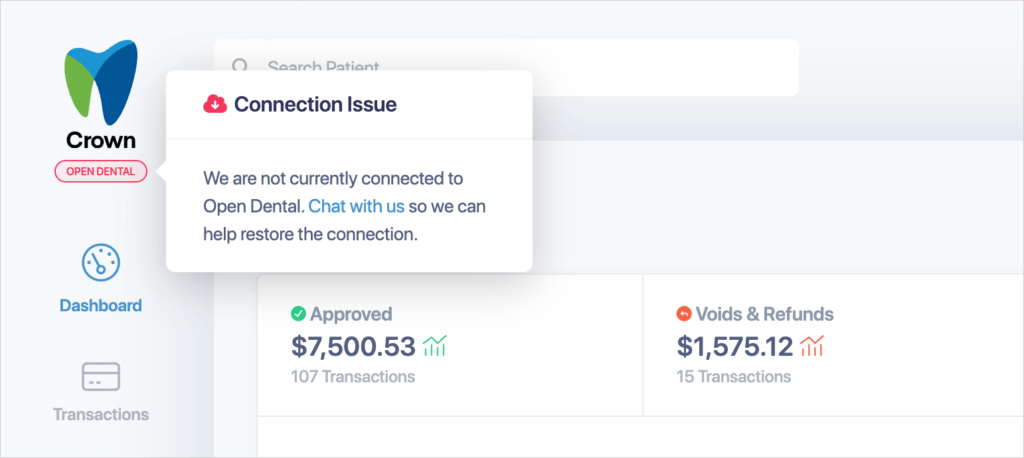
Know when your connection needs attention. Your dashboard now shows a connection status indicator for your practice management system (Checked every 5 minutes). If the connection to your PMS goes down, you’ll see a clear alert with a one-click option to chat with our support team — and the chat is pre-filled with the relevant details to speed things up. We’ll also email your practice automatically if the connection drops for added visibility.
Coming soon: a faster, more reliable Open Dental connection. This release lays the groundwork for a faster, more resilient Open Dental connection. Crown will continue to use the Open Dental API, but will connect directly and bypass the eConnector for a quicker, more reliable experience — and if that direct service is ever unavailable, it automatically falls back to the eConnector so patient lookups and updates keep working without interruption. This isn’t active yet — it turns on once a small companion service is in place on your practice’s system. In many cases we can do this silently, with no action needed on your end. Where an automatic upgrade isn’t possible, we’ll roll it out gradually, prioritizing practices that continue to experience eConnector issues or Open Dental slowness.
Dentrix fixes. We resolved an issue where editing a patient could fail with an “Unable to update third party system” error, and restored the ability to view completed appointments.
Bug fixes and performance improvements. With each release, there are updates to improve performance and overall user experience.
We’re always listening to your feedback, bug reports, and enhancement requests to make Crown more powerful. Please keep them coming — we’ll do our best to incorporate your input into future releases. If you need any assistance, please contact us or chat with us directly in Crown.
Thank you for scheduling. If you have any questions, please contact us at 800-625-1670.
A credit card surcharge is an additional fee added to a transaction when a patient chooses to pay with a credit card. The surcharge is intended to help offset the cost of credit card processing and applies only to eligible credit card transactions.
No. Debit card transactions may not be surcharged under any circumstances, even if the debit card is processed as a credit transaction or entered manually.
Yes. Credit card surcharges may not exceed the merchant’s actual cost of accepting credit cards and are capped at a maximum of 3% of the total transaction amount, in accordance with card-network rules and applicable law.
Yes. Card networks require clear and transparent disclosure of any credit card surcharge. Practices must notify patients through appropriate signage at the practice entrance, point of sale, and anywhere payments are accepted. If payments are accepted online, the surcharge must also be clearly disclosed on the practice’s website.
Yes. Some U.S. states and territories prohibit or restrict credit card surcharging. Practices are responsible for understanding and complying with their state’s specific requirements before implementing a surcharge.
No. While Moolah provides tools and general guidance to support credit card surcharging, compliance with all applicable laws and card-network rules is the responsibility of the merchant. Moolah does not provide legal advice and assumes no liability for a merchant’s compliance.
Most major credit card networks permit surcharging when done in accordance with their rules, but additional requirements or restrictions may apply. Practices should ensure they have completed all required network notifications and disclosures prior to enabling surcharging.
Failure to comply with surcharging rules may result in card-network fines, required refunds, or other enforcement actions. Practices should ensure they fully understand all applicable requirements before applying a surcharge.
Flex does not currently offer built-in support for credit card surcharging. If a practice chooses to enroll in a surcharge plan, payments would need to be processed through Moolah’s payment platform, which is designed to support surcharging and integrates directly with Open Dental.
If you are considering introducing a credit card surcharge for your patients, it is important to understand that there are specific rules and regulations that must be followed when enrolling in and operating under a surcharge plan.
This article provides a general overview of common surcharging requirements. This content is provided for informational purposes only and does not constitute legal advice. It is the responsibility of each merchant to review, understand, and comply with all applicable laws, card-network rules, and regulatory requirements, including notification timeframes, signage requirements, surcharge percentage limits, and jurisdictions where surcharging is prohibited.
If you are unsure about the laws or regulations applicable to your practice, you should consult with qualified legal counsel. Moolah assumes no liability for a merchant’s compliance or non-compliance with credit card surcharging rules or regulations.
Transparent Communication
Card networks, including Visa, Mastercard, Discover, and American Express, require merchants to clearly and transparently disclose when a credit card surcharge is applied.
Practices must clearly notify patients of a credit card surcharge through appropriate signage placed at the practice entrance, at the point of sale or terminal, and anywhere payments are accepted. If payments are accepted online, surcharge disclosures must also be clearly visible on the practice’s website. All disclosures must inform patients that the surcharge applies only to credit card transactions.
Surcharge Limits
Credit card surcharges must comply with both card-network rules and applicable law. The surcharge amount may not exceed the merchant’s actual cost of accepting credit cards and may not exceed 3% of the total transaction amount.
Card-network rules cap credit card surcharges at 3%, meaning that if a merchant’s processing costs exceed this amount, the excess portion cannot be passed on to the patient.
Network and State Restrictions
The major credit card networks, such as Visa and Mastercard, impose specific requirements related to surcharge limits, advance notification, and disclosure.
In addition, several U.S. states and territories regulate or prohibit credit card surcharging. At the time of writing, credit card surcharging is prohibited in Connecticut, Maine, Massachusetts, and Puerto Rico. Other states, including Colorado, Minnesota, Mississippi, New Jersey, and New York, impose restrictions on surcharge amounts or require specific disclosures.
If your practice operates in a state that restricts or prohibits credit card surcharging, you must fully understand and comply with those requirements before implementing a surcharge.
Debit card transactions may never be surcharged, even if the debit card is processed as a credit transaction.
Applicability
Credit card surcharges may be applied only to credit card transactions. Other payment types, including debit cards and alternative payment methods, are not eligible for surcharging.
Regulatory Compliance
Merchants are responsible for maintaining ongoing compliance with all applicable card-network and legal requirements. This includes meeting advance notification obligations, using compliant signage and disclosures, adhering to surcharge percentage limits, and respecting jurisdiction-specific restrictions.
By following these guidelines, dental practices can implement credit card surcharging in a way that aligns with card-network rules and promotes transparency with patients. Clear and upfront communication helps maintain patient trust and supports a positive payment experience.